
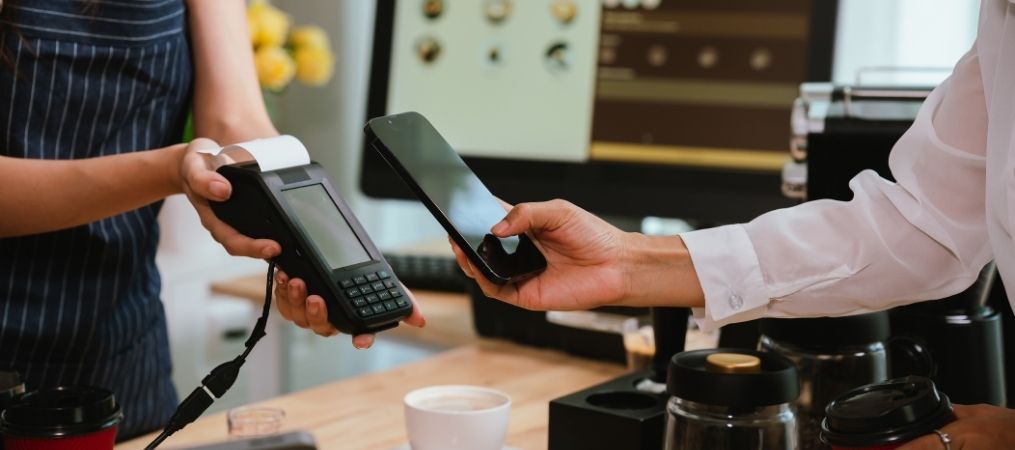
Running a small business means wearing a lot of hats — but managing a clunky, outdated point-of-sale system shouldn’t be one of them.
Whether you’re running a boutique retail shop, a neighborhood restaurant, or a service-based business, the right small business POS software can transform how you operate day to day. It’s not just about processing payments anymore. A modern POS system is the operational backbone of your business.
This guide walks you through everything you need to know to make a confident, informed purchase in 2026.
Why Choosing the Right POS Software Matters for Small Businesses
For small businesses, every dollar and every minute counts. The wrong POS system can slow down checkout lines, create inventory headaches, and leave you with data you can’t actually use. The right one does the opposite — it speeds up service, automates tedious tasks, gives you real-time visibility into your business, and ultimately helps you grow.
With the POS software market more competitive than ever, small business owners have no shortage of options. But more choices also means more chances to pick the wrong one. That’s why doing your homework before signing a contract is critical.
Key Features to Look for in Small Business POS Software
Not all POS software is built the same. When evaluating your options, prioritize these core features:
Inventory Management — Real-time stock tracking, low-inventory alerts, and reorder automation keep you from running out of your best sellers or over-ordering slow movers.
Reporting and Analytics — Sales summaries, employee performance reports, and trend data let you make smarter decisions without guessing.
Customer Management and Loyalty — The ability to capture customer data, track purchase history, and run loyalty programs keeps people coming back.
Flexible Payment Processing — Your system should handle credit cards, debit cards, contactless payments, mobile wallets, and gift cards without issue.
Employee Management — Clock-in/clock-out functionality, permission controls, and shift tracking make managing your team simpler.
Ease of Use — A system your staff can learn quickly means less training time and fewer errors during busy hours.
For a deeper look at what separates a good system from a great one, check out our guide on the Top Features to Look for in a Retail POS System.
Small Business POS System Options: Cloud vs. On-Premise
One of the biggest decisions you’ll face when choosing small business POS software is whether to go cloud-based or on-premise.
Cloud-Based POS Systems
Accessible from any device with an internet connection
Automatic software updates with no manual maintenance
Lower upfront cost, typically subscription-based
Real-time data syncing across locations
Ideal for businesses that want flexibility and remote access
On-Premise POS Systems
Stores data locally on your hardware
Functions without an internet connection
Higher upfront cost, but no recurring subscription fees
May require IT support for updates and maintenance
Better suited for businesses with strict data control requirements
For most small businesses in 2026, cloud-based POS software is the clear frontrunner. The flexibility, lower cost of entry, and automatic updates make it the smarter long-term investment.
How to Evaluate POS Software for Your Business Needs
Before you start comparing vendors, get clear on your own requirements. Ask yourself:
What type of business do I run? Retail, restaurant, and service businesses have different feature needs. A coffee shop needs a fast, simple interface. A clothing boutique needs detailed inventory tools.
How many employees will use the system? This affects pricing tiers and user permission settings.
Do I have multiple locations? If so, you’ll need a system that supports centralized management and reporting across sites.
What integrations do I need? Think about your accounting software, e-commerce platform, and any scheduling or marketing tools you already use.
What’s my budget? Consider both upfront costs and ongoing subscription fees.
Once you have clear answers, you can match those needs to a system’s features rather than being dazzled by features you’ll never use.
Tips for Smooth POS System Implementation
Choosing the right system is only half the battle. Getting it up and running smoothly takes planning. Here’s how to set your team up for success:
Build in training time — Even the most intuitive systems require a learning curve. Schedule dedicated time to walk your staff through the new interface before go-live.
Migrate your data carefully — If you’re switching from an existing system, work with your new provider to import inventory lists, customer records, and product catalogs cleanly.
Run a parallel test period — Where possible, run both systems simultaneously for a short window to catch any issues before fully cutting over.
Designate a point person — Having one team member responsible for overseeing the rollout keeps accountability clear and questions centralized.
Use available support resources — Good POS providers offer onboarding support, video tutorials, and live help. Use all of it.
Cost Considerations and ROI of a Point of Sale (POS) System
POS software pricing varies widely depending on the vendor, feature set, and number of users. Here’s a general breakdown of what to expect:
Software subscriptions — Monthly or annual fees typically range from entry-level plans for basic needs to premium tiers for advanced features and multi-location support.
Hardware costs — Tablets, receipt printers, cash drawers, and card readers add to upfront investment, though some providers offer hardware bundles or lease options.
Payment processing fees — Per-transaction fees vary by provider. Integrated payment processing through your POS can often get you better rates and simplified reconciliation.
Implementation and training — Some providers charge for setup assistance; others include it.
When thinking about ROI, look beyond the monthly cost. Consider how much time a better system saves on inventory counts, how much waste is reduced through smarter ordering, and how much additional revenue loyalty features can drive.
A well-chosen POS system typically pays for itself quickly.
Common Mistakes to Avoid When Choosing POS Software
Even well-intentioned buyers make costly mistakes. Watch out for these:
Choosing based on price alone — The cheapest option often lacks critical features or comes with poor support. Think total cost of ownership.
Ignoring scalability — Your business will grow. Make sure your POS can grow with it. Changing systems later is expensive and disruptive.
Underestimating support needs — When something breaks during a Friday night rush, you need responsive, knowledgeable help. Vet your provider’s support before you sign.
Skipping the demo — Always request a live demo or trial period. Screenshots and feature lists don’t tell the full story.
Forgetting about integrations — A POS that doesn’t connect to your existing tools creates manual work and data silos.
Make an Informed POS Choice
The right small business POS system isn’t a luxury — it’s a competitive advantage. It helps you serve customers faster, manage your business smarter, and make decisions backed by real data. In 2026, there’s no reason to settle for software that doesn’t keep up with how you actually work.
If you’re ready to explore a POS solution built for small businesses, Pineapple POS is here to help. We serve businesses across the region, including New Castle, PA, with reliable, easy-to-use systems backed by local support.
Contact our team today to get started.
Frequently Asked Questions
The best software depends on your business size, industry, and feature needs, such as inventory, reporting, and payment processing. Look for a system that fits your workflow and can scale as your business grows.
Many modern POS systems, including Shift4 Dine, are cloud-based and accessible on tablets, smartphones, or mobile terminals — giving you and your team flexibility at the counter or on the floor.
Costs vary based on features, number of users, hardware requirements, and subscription model. Many providers offer tiered plans so you can start with what you need and add capabilities over time.
With streamlined transactions, inventory tracking, and loyalty programs, POS software can boost efficiency and revenue, helping you spend less time on operations and more time with your customers.
While not mandatory, a POS system helps manage operations, reduce errors, and provide insights that manual methods cannot. For most businesses, the efficiency gains alone make it well worth the investment.